Explore
Discover
Create
Adobe
Illustrator
Course
Course Description
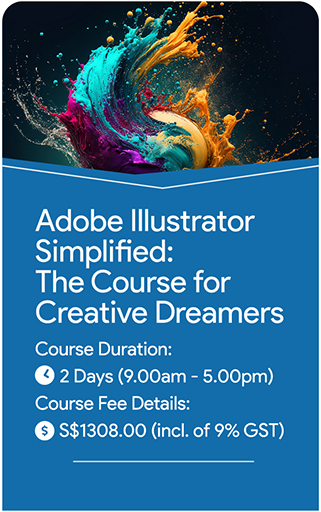
Unlock the full potential of Adobe Illustrator with this comprehensive two-day course designed for beginners. This hands-on training provides a solid foundation in vector graphic design, guiding participants through essential tools and techniques to create and edit high-quality graphics.
Day 1 focuses on familiarizing participants with the Illustrator workspace, basic drawing tools, and fundamental design principles. Attendees will learn to navigate the software, draw shapes, manage colors, and work with text. Emphasis is placed on practical application, with exercises to build proficiency in using the core features of Illustrator.
Day 2 advances to more techniques, including the use of brushes, patterns, and advanced effects. Participants will engage in real-world projects to apply their skills, developing a deeper understanding of how to create polished, professional designs. By the end of the course, attendees will be equipped with the knowledge and confidence to use Adobe Illustrator
effectively for various design needs.
Ideal for beginners, this course combines expert instruction with practical experience, ensuring participants gain the skills needed to excel in vector graphic design.
Course Objectives
This course is designed to provide participants with a solid and comprehensive foundation in Adobe Illustrator over 2 days. Attendees will be skilled with in-depth instruction on essential tools and techniques for creating and editing vector graphics, mastering key design principles, and applying Illustrator skills to practical, real-world projects. The curriculum covers fundamental concepts such as basic drawing, colour management, and typography, as well as advanced features including brushes, patterns, and effects. By the end of the course, participants will be adept at using Illustrator to produce professional-quality designs and will be well-prepared to apply these skills in their personal or professional endeavors.
Who should attend this course
- Beginners with no prior experience in graphic design
- Mid career change
- Learn extra skillset
- Small medium business owners
- Marketing professionals
- Creative enthusiasts
- Individuals interested in digital graphic design
Prerequisites
- There are no specific prerequisites for enrolling in this Illustrator course. However, having basic computer skills will be advantageous for effectively using Illustrator throughout the course
Course Outline
Introduction and Core Skills
Introduction to Adobe Illustrator
- Overview of vector vs. raster graphics
- Navigating the Illustrator workspace
- Customizing workspace layout and preferences
Setting up the Working Document
- Creating and setting up new documents
- Understanding artboards and document settings
- Basics of resolution, color modes, and document size
Basic Tools and Techniques
- Introduction to selection tools
(Selection Tool, Direct Selection Tool) - Drawing basic shapes
(Rectangle, Ellipse, Polygon) - Using the Pen Tool for creating custom shapes and paths
- Understanding paths, anchor points, and handles
Working with Colours
- Applying and managing fills and strokes
- Using the Color Picker, Swatches, and Color Guide
- Understanding and applying gradients and patterns
Text and Typography Basics
- Adding and formatting text
- Exploring text tools and options
- Converting text to outlines for graphic manipulation
- Basic typography principles and best practices
Layers and Object Management
- Understanding the Layers panel
- Creating, organizing, and managing layers
- Using layer effects, blending modes, and opacity
- Grouping and ungrouping objects
Techniques and Applications
Drawing and Editing Techniques
- Using the Shape Builder Tool and Pathfinder tools
- Combining and subtracting shapes
- Reshaping and transforming objects
(Scaling, Rotating, Shearing) - Applying and editing effects and appearances
Using Brushes and Patterns
- Introduction to brushes
(Calligraphic, Scatter, Art, etc.) - Creating and applying custom brushes
- Working with patterns and pattern fills
- Creating and editing pattern swatches
Design Projects and Practical Application
- Hands-on exercises to apply learned skills
- Creating a simple logo or graphic design project
- Incorporating text, shapes, and color effectively
Saving and Exporting Yozzzzzzzur Work
- Understanding file formats
(AI, EPS, PDF, SVG, PNG) - Saving and exporting graphics for various uses
(print, web, etc.) - Preparing files for different outputs and sharing
Review and Q&A
- Open session for questions and troubleshooting
- Review of key concepts and techniques
- Tips for continued learning and practice
Assessment Component
- Artwork Hands-on Assessment – Real work
- Individual Project Presentation
Course Description
Unlock the full potential of Adobe Illustrator with this comprehensive two-day course designed for beginners. This hands-on training provides a solid foundation in vector graphic design, guiding participants through essential tools and techniques to create and edit high-quality graphics.
Day 1 focuses on familiarizing participants with the Illustrator workspace, basic drawing tools, and fundamental design principles. Attendees will learn to navigate the software, draw shapes, manage colors, and work with text. Emphasis is placed on practical application, with exercises to build proficiency in using the core features of Illustrator.
Day 2 advances to more techniques, including the use of brushes, patterns, and advanced effects. Participants will engage in real-world projects to apply their skills, developing a deeper understanding of how to create polished, professional designs. By the end of the course, attendees will be equipped with the knowledge and confidence to use Adobe Illustrator
effectively for various design needs.
Ideal for beginners, this course combines expert instruction with practical experience, ensuring participants gain the skills needed to excel in vector graphic design.
Course Objectives
This course is designed to provide participants with a solid and comprehensive foundation in Adobe Illustrator over 2 days. Attendees will be skilled with in-depth instruction on essential tools and techniques for creating and editing vector graphics, mastering key design principles, and applying Illustrator skills to practical, real-world projects. The curriculum covers fundamental concepts such as basic drawing, colour management, and typography, as well as advanced features including brushes, patterns, and effects. By the end of the course, participants will be adept at using Illustrator to produce professional-quality designs and will be well-prepared to apply these skills in their personal or professional endeavors.
Who should attend this course
- Beginners with no prior experience in graphic design
- Mid career change
- Learn extra skillset
- Small medium business owners
- Marketing professionals
- Creative enthusiasts
- Individuals interested in digital graphic design
Prerequisites
- There are no specific prerequisites for enrolling in this Illustrator course. However, having basic computer skills will be advantageous for effectively using Illustrator throughout the course
Course Outline
Introduction and Core Skills
Introduction to Adobe Illustrator
- Overview of vector vs. raster graphics
- Navigating the Illustrator workspace
- Customizing workspace layout and preferences
Setting up the Working Document
- Creating and setting up new documents
- Understanding artboards and document settings
- Basics of resolution, color modes, and document size
Basic Tools and Techniques
- Introduction to selection tools
(Selection Tool, Direct Selection Tool) - Drawing basic shapes
(Rectangle, Ellipse, Polygon) - Using the Pen Tool for creating custom shapes and paths
- Understanding paths, anchor points, and handles
Working with Colours
- Applying and managing fills and strokes
- Using the Color Picker, Swatches, and Color Guide
- Understanding and applying gradients and patterns
Text and Typography Basics
- Adding and formatting text
- Exploring text tools and options
- Converting text to outlines for graphic manipulation
- Basic typography principles and best practices
Layers and Object Management
- Understanding the Layers panel
- Creating, organizing, and managing layers
- Using layer effects, blending modes, and opacity
- Grouping and ungrouping objects
Techniques and Applications
Drawing and Editing Techniques
- Using the Shape Builder Tool and Pathfinder tools
- Combining and subtracting shapes
- Reshaping and transforming objects
(Scaling, Rotating, Shearing) - Applying and editing effects and appearances
Using Brushes and Patterns
- Introduction to brushes
(Calligraphic, Scatter, Art, etc.) - Creating and applying custom brushes
- Working with patterns and pattern fills
- Creating and editing pattern swatches
Design Projects and Practical Application
- Hands-on exercises to apply learned skills
- Creating a simple logo or graphic design project
- Incorporating text, shapes, and color effectively
Saving and Exporting Yozzzzzzzur Work
- Understanding file formats
(AI, EPS, PDF, SVG, PNG) - Saving and exporting graphics for various uses
(print, web, etc.) - Preparing files for different outputs and sharing
Review and Q&A
- Open session for questions and troubleshooting
- Review of key concepts and techniques
- Tips for continued learning and practice
Assessment Component
- Artwork Hands-on Assessment – Real work
- Individual Project Presentation
Learn from the Industry Experts!
Equipped with 22 years of Creative Expertise,
We Transform Real-World Experience
into Practical Knowledge.
0
0 k+
0 +
Learn from the Industry Experts! Equipped with 22 years of Creative Expertise, We Transform Real-World Experience into Practical Knowledge.
0
0 k+
0 +
Course Enquiry Form
* Denotes Compulsory Field
Office & Training Locations:
KB-1
1 Kaki Bukit Ave 3, #07-11.
Singapore 416087

Contact: +65 9233 7390
Course Enquiry Form
* Denotes Compulsory Field
Office & Training Locations:
KB-1
1 Kaki Bukit Ave 3, #07-11.
Singapore 416087
|
Contact: +65 9233 7390 |
 |
Email: Email: benjamin.heng@capstoneacademy.sg |
Course Schedule
Our course new intakes are published 60 days prior to the Course Start Dates. You are encouraged to re-visit our webpage here at later day for new intakes if all classes are “Full”. Alternatively, you can contact us for our courses future schedule.
| Date | Course | Duration | Time | Place | |
| 4 Aug 2026 (Tues) | AI Foundations for Modern Work | 4 hours | 9am - 1pm | Central | |
| 17 Aug 2026 (Monday) | Agentic AI fundamentals | 8 hours | 9am - 5pm | Central | |
| 26 Aug 2026 (Wed) | Service excellence enhanced with AI | 8 hours | 9am - 5pm | Central |
| Date | Course | Duration | Time | Place | |
| 8 Sep 2026 (Tues) | AI Foundations for Modern Work | 4 hours | 9am - 1pm | Central | |
| 14 Sep 2026 (Monday) | Agentic AI fundamentals | 8 hours | 9am - 5pm | Central | |
| 23 Sep 2026 (Wed) | Service excellence enhanced with AI | 8 hours | 9am - 5pm | Central |
| Date | Course | Duration | Time | Place | |
| 13 Oct 2026 (Tues) | AI Foundations for Modern Work | 4 hours | 9am - 1pm | Central | |
| 19 Oct 2026 (Monday) | Agentic AI fundamentals | 8 hours | 9am - 5pm | Central | |
| 28 Oct 2026 (Wed) | Service excellence enhanced with AI | 8 hours | 9am - 5pm | Central |
| Date | Course | Duration | Time | Place | |
| 10 Nov 2026 (Tues) | AI Foundations for Modern Work | 4 hours | 9am - 1pm | Central | |
| 16 Nov 2026 (Monday) | Agentic AI fundamentals | 8 hours | 9am - 5pm | Central | |
| 25 Nov 2026 (Wed) | Service excellence enhanced with AI | 8 hours | 9am - 5pm | Central |
| Date | Course | Duration | Time | Place | |
| 8 Dec 2026 (Tues) | AI Foundations for Modern Work | 4 hours | 9am - 1pm | Central | |
| 14 Dec 2026 (Monday) | Agentic AI fundamentals | 8 hours | 9am - 5pm | Central | |
| 23 Dec 2026 (Wed) | Service excellence enhanced with AI | 8 hours | 9am - 5pm | Central |
| Date | Course | Duration | Time | Place | |
| 5 jan 2027 (Tues) | AI Foundations for Modern Work | 4 hours | 9am - 1pm | Central | |
| 18 Jan 2027 (Monday) | Agentic AI fundamentals | 8 hours | 9am - 5pm | Central | |
| 27 Jan 2027 (Wed) | Service excellence enhanced with AI | 8 hours | 9am - 5pm | Central |